How to Choose the Right 10Gb SFP Cable?
Choosing a 10gb Sfp Cable is not just a matter of matching two 10G ports. Cable type, link distance, device compatibility, and installation conditions all affect whether a connection works reliably. A short link between a rack server and a top-of-rack switch may suit a direct-attach copper cable (DAC). A longer run between rooms may call for optical cable instead. Small details matter.
The scale of demand is clear. Cisco’s Annual Internet Report forecast that global IP traffic would reach 396 exabytes per month by 2022, up from 122 exabytes per month in 2017. That forecast is not a measurement of today’s network traffic, but it shows why capacity planning matters. IEEE 802.3 defines 10 Gigabit Ethernet options, including short-reach and long-reach optical links; their reach depends on the specific transceiver and fiber type. For example, 10GBASE-SR commonly supports up to 300 meters on OM3 multimode fiber, while 10GBASE-LR is designed for much longer single-mode links.
Ethernet Alliance leader Peter Jones has described Ethernet as “the most successful networking technology ever developed.” For buyers, success still depends on fit. Check the switch’s supported SFP+ modules, cable length, and vendor compatibility before ordering. DACs can be cost-effective for short rack connections, while active optical cables (AOCs) can help span longer distances. Distance changes everything. This guide will compare these options and explain which details deserve a second look before you buy.
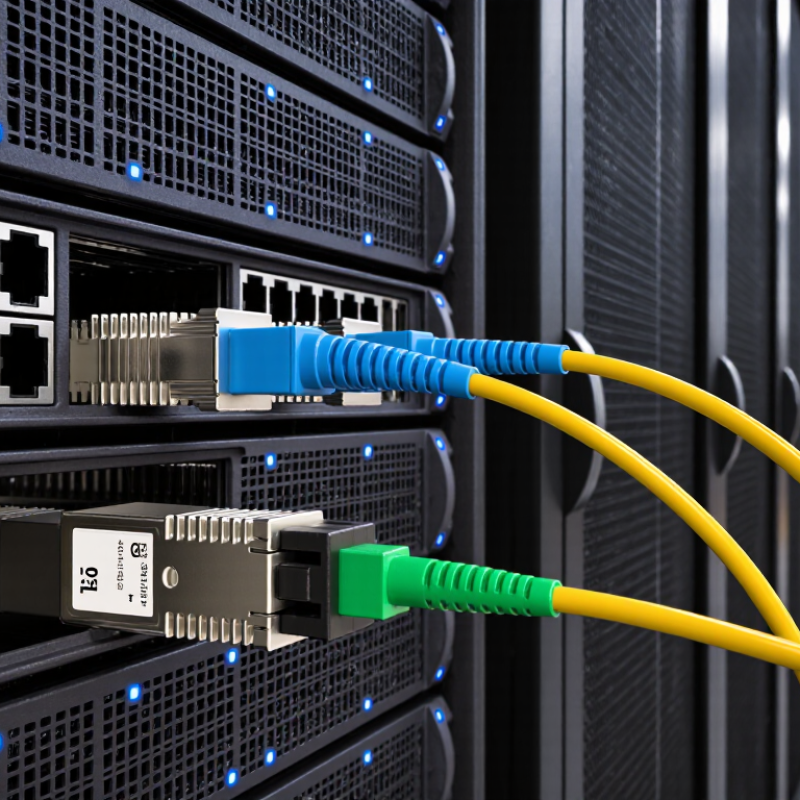
Confirm the Port Is SFP+ and Supports 10 Gb/s Ethernet
Before choosing a 10Gb SFP cable, verify the port’s exact type and speed in the device documentation. An SFP-shaped slot alone proves nothing. Some ports accept SFP modules but operate only at 1 Gb/s, while others support SFP+ and 10GbE. The IEEE 802.3-2022 standard defines Ethernet operation at 10 Gb/s; that is the link rate, not the file-transfer speed you will see after protocol overhead. Check the product’s port table or configuration interface for “10G,” “10GbE,” or “SFP+.” Check the label. If the documentation lists only “SFP,” ask the equipment supplier to confirm the supported rate before ordering.
Then confirm that the port accepts the cable type you plan to use. A direct-attach copper cable may suit a short rack connection, but compatibility can depend on the host and cable’s supported coding. SFF-8431 specifies electrical characteristics for SFP+ interfaces; it does not guarantee that every SFP+ port will accept every cable. Look up the device’s supported cable length and type, then match both ends. For example, a cable marked 10G and 3 m is not automatically suitable for every 10G port. Small detail, big difference. I would double-check the port settings too; documentation can be unclear, and a listed 10Gb/s capability may require configuration.
Choose DAC for Short Links; Check Passive and Active Cable Reach
How to Choose the Right 10Gb SFP Cable?
For a short switch-to-server link inside one rack, a direct-attach copper cable (DAC) is often the practical choice. Passive DACs suit short runs and need no signal-conditioning electronics. Active DACs add circuitry to extend reach, but their supported distance depends on the cable design and host compatibility. There is no universal passive-versus-active cutoff. Check the cable’s stated maximum length, supported equipment, and bend radius before ordering; a tight turn behind a rack can put strain on connectors.
Tips: Short links? Choose DAC. For longer copper runs, compare the exact passive and active reach ratings in the cable’s specification sheet. Check power requirements for active cables, too, and test the link before securing cables in place.
Use standards as a reality check, not as a substitute for product specifications. IEEE 802.3 specifies 10GBASE-SR fiber reach of up to 300 metres over OM3 and 400 metres over OM4. These figures describe fiber, not DAC. SFF-8431 defines SFP+ electrical interfaces, but does not set one universal DAC reach. That distinction is easy to overlook. If the run approaches a cable’s rated limit, reconsider the layout or evaluate fiber instead.
Compare IEEE 802.3ae SR Reach: 300 m on OM3, 400 m on OM4
Choosing a 10Gb SFP link starts with the fiber grade and route length, not the module label alone. IEEE 802.3ae specifies 10GBASE-SR reach up to 300 m over OM3 and 400 m over OM4 multimode fiber. That 100 m difference can matter across a campus backbone or between equipment rooms. These figures assume a compliant optical channel, not every real-world patch path.
IEEE Std 802.3ae-2002, Clause 52, defines the 10GBASE-SR interface and its reach values. Check the total channel loss, connector count, and bend radius against the equipment specifications. A short route can still fail if dirty end faces or extra patch panels use up the optical budget. I would not treat 300 or 400 m as a promise; these are maximums, and leaving margin is wiser. Measure twice.
Tips: Record the fiber type and measured route length before ordering. After installation, inspect and clean connectors, then test channel loss. A tidy cable tray helps, but it cannot fix a poor optical link.
For Longer Links, 10GBASE-LR Supports Up to 10 km over Single-Mode Fiber
How to Choose the Right 10Gb SFP Cable?
For a longer link, 10GBASE-LR is designed for up to 10 km over single-mode fiber. IEEE 802.3 specifies LR operation near 1310 nm. The “10 km” figure is a maximum under compliant link conditions, not a promise for every installed path. Check that both transceivers support LR, and confirm the fiber type and connector match your equipment. Small details count.
Fiber loss matters across the full route. ITU-T Recommendation G.652 gives a maximum cable attenuation of 0.4 dB/km around 1310 nm. That figure covers fiber attenuation, not every connector, splice, or bend in a real installation. A patch panel and a dusty connector can affect the result. Clean and inspect connectors, then measure received optical power against the transceiver’s specified limits. A power meter helps verify the link; an OTDR can help locate faults.
Before choosing LR, map the actual cable route, including patch-cord lengths and connection points. If the path is only a few meters, a different 10Gb connection may be simpler and less costly. For longer runs, single-mode fiber offers useful reach, but the headline distance can distract from link-loss checks. I would verify the optical budget twice. It is easy to miss.
How to Choose the Right 10Gb SFP Cable? — For Longer Links, 10GBASE-LR Supports Up to 10 km over Single-Mode Fiber
Compatibility note: Reach figures are typical maximums for the specified 10Gb link type, not guarantees for every installation. Confirm transceiver support at both endpoints, fiber type, connector, link loss, and the equipment’s compatibility requirements before ordering.
Check Wavelength, Connector Type, and Switch Transceiver Compatibility
A 10Gb SFP cable can refer to a direct-attach copper cable or an optical link, and the choice changes what you need to check. A passive copper cable has no wavelength; it suits short connections between nearby switch ports. For fiber, match the transceiver wavelength at both ends. Common examples include 850 nm multimode and 1310 nm singlemode, but confirm the module specifications rather than relying on a label alone. The fiber type and supported distance matter too. A mismatch may leave the link dark, even when the connectors fit.
Check the connector type before ordering. Many 10Gb fiber modules use duplex LC connectors, while copper DAC cables plug directly into SFP+ ports. Then verify that both switches support the cable or transceiver, the 10Gb speed, and the required link settings. Some ports accept only approved module types, so consult each switch’s compatibility guide. In a rack, a one-metre DAC may be tidy; across rooms, fiber is usually more practical. Measure the route, including slack. Easy to overlook. I would also confirm the port is enabled and set to the intended speed before troubleshooting the cable. Compatibility tables can be incomplete, so checking the exact port and module details is worth the extra minute.

